
Dispatch
The Dispatch Page is designed to manage the dispatching of registered loads. This page allows users to decrement the amount of load gradually as it is dispatched. It provides functionalities for registering load outputs, tracking pending dispatches, and monitoring delivered loads.
Register Load Output
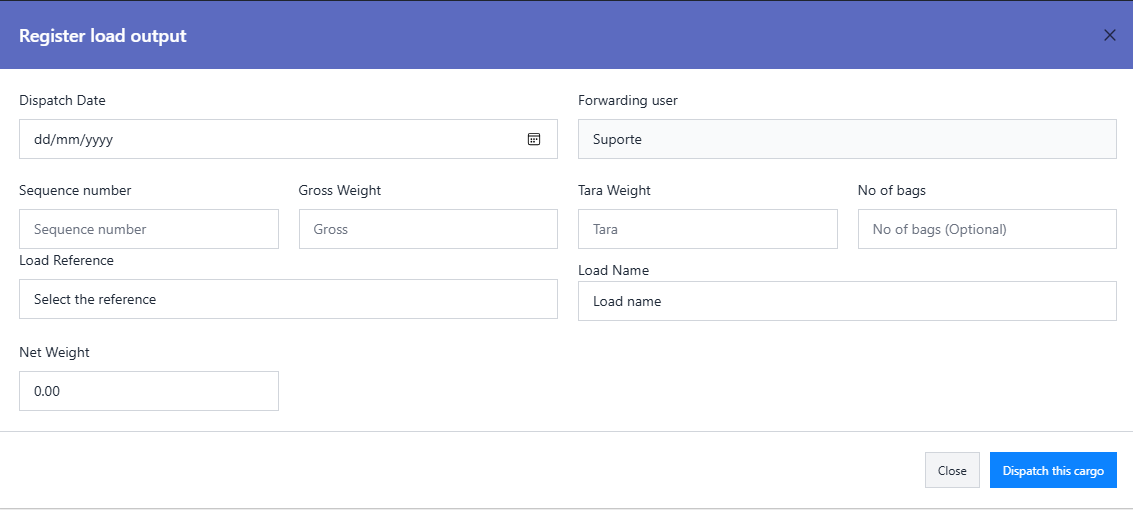
Clicking the Register Load Output button opens a modal for dispatching a specific load. The modal contains the following fields:
- ↳ Dispatch Date: Select the date of dispatch. (Required)
- ↳ Forwarding User: Automatically filled with the name of the user initiating the dispatch. (Read-only)
- ↳ Sequence Number: Enter the unique sequence number for the dispatch. (Required)
- ↳ Gross Weight: Specify the gross weight (truck + load) in tons. (Required)
- ↳ Tara Weight: Enter the weight of the truck alone in tons. (Required)
- ↳ Number of Bags: Specify the number of bags if the load is transported in bags. (Optional)
- ↳ Load Reference: Select the reference of the load to be dispatched. (Required)
- ↳ Load Name: Automatically populated based on the selected Load Reference. (Read-only)
- ↳ Net Weight: Automatically calculated as Gross Weight minus Tara Weight. (Read-only)
Dynamic Fields Based on Transportation Mode
The dynamic fields displayed depend on the Transportation Mode of the transporter associated with the selected Load Reference:
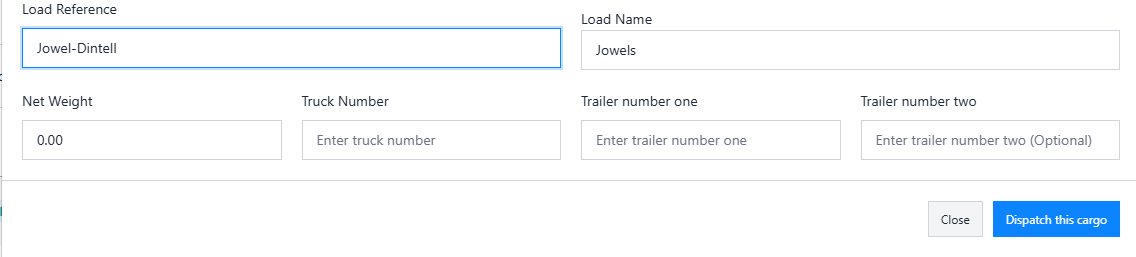
Road
- ↳ Truck Number: Enter the truck's identification number. (Required)
- ↳ Trailer Number One: Specify the first trailer's identification number. (Required)
- ↳ Trailer Number Two: Specify the second trailer's identification number. (Optional)
Rail
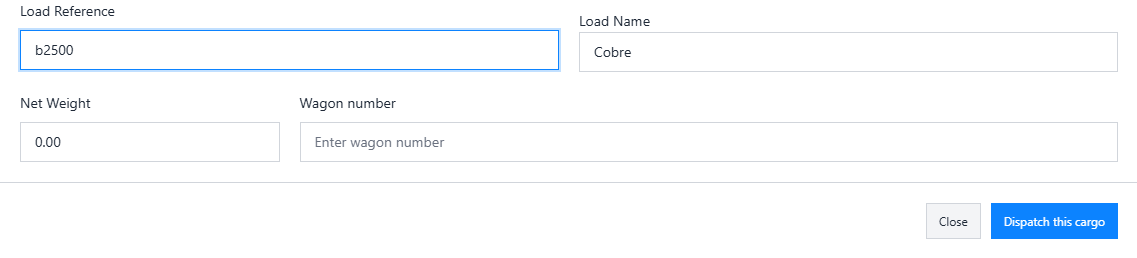
- ↳ Wagon Number: Enter the identification number of the railway wagon. (Required)
As loads are dispatched, the system automatically deducts the dispatched quantity to ensure consistency. Once the load is fully dispatched, it is no longer displayed in the Load Reference dropdown.
Pendding Dispatch
The page contains two tabs: Pending and Delivered, each displaying a corresponding table.
The Pending Tab shows loads that are partially dispatched or not yet completely dispatched. It displays the following details in a table:
- ↳ Dispatch Date: The date the dispatch was registered.
- ↳ Forwarding User: The user responsible for the dispatch.
- ↳ Load Reference: The unique identifier of the load being dispatched.
- ↳ Load Name: The name of the load being dispatched.
- ↳ Gross Weight: Total weight of the truck and load in tons.
- ↳ Tara Weight: The weight of the truck alone in tons.
- ↳ Net Weight: Calculated weight of the load only in tons.
-
↳
Action Buttons:
- ↳ Edit: Allows modification of dispatch details.
- ↳ Delete: Removes the dispatch record permanently.

The Edit and Delete functionalities ensure that dispatch records can be updated or removed when necessary, maintaining accurate and clean data.
Delivered Dispatch
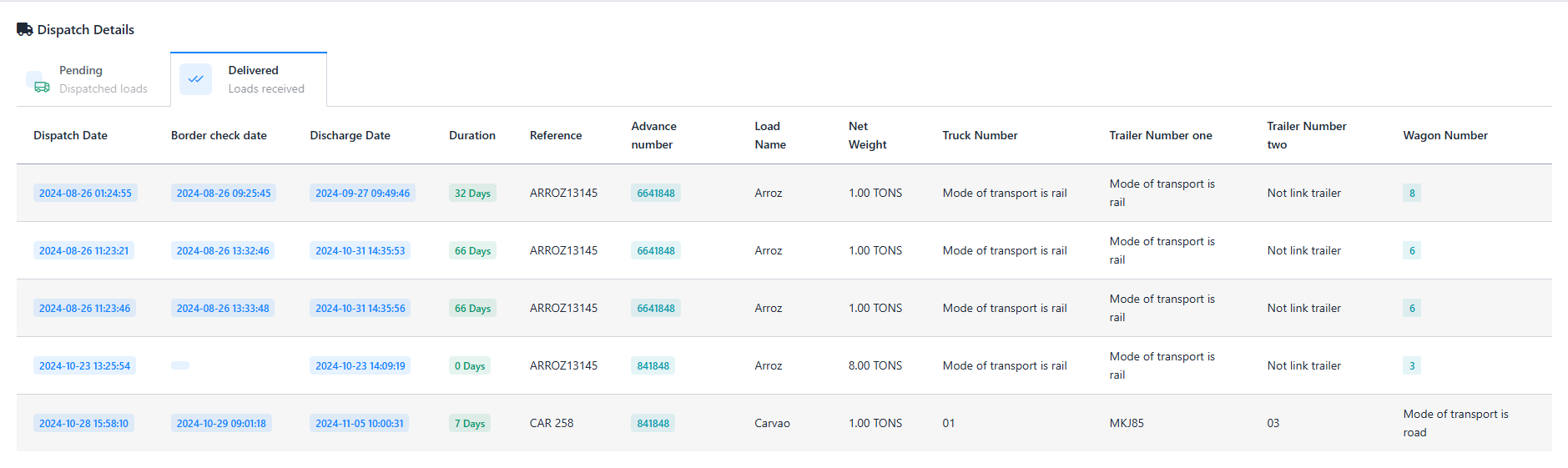
The Delivered Tab shows loads that have been fully dispatched and completed all delivery stages.