
Border
The Border Page is designed to manage and verify dispatched loads at the border. It ensures that loads are inspected, documented, and their passage through the border is confirmed.
Coming Tab
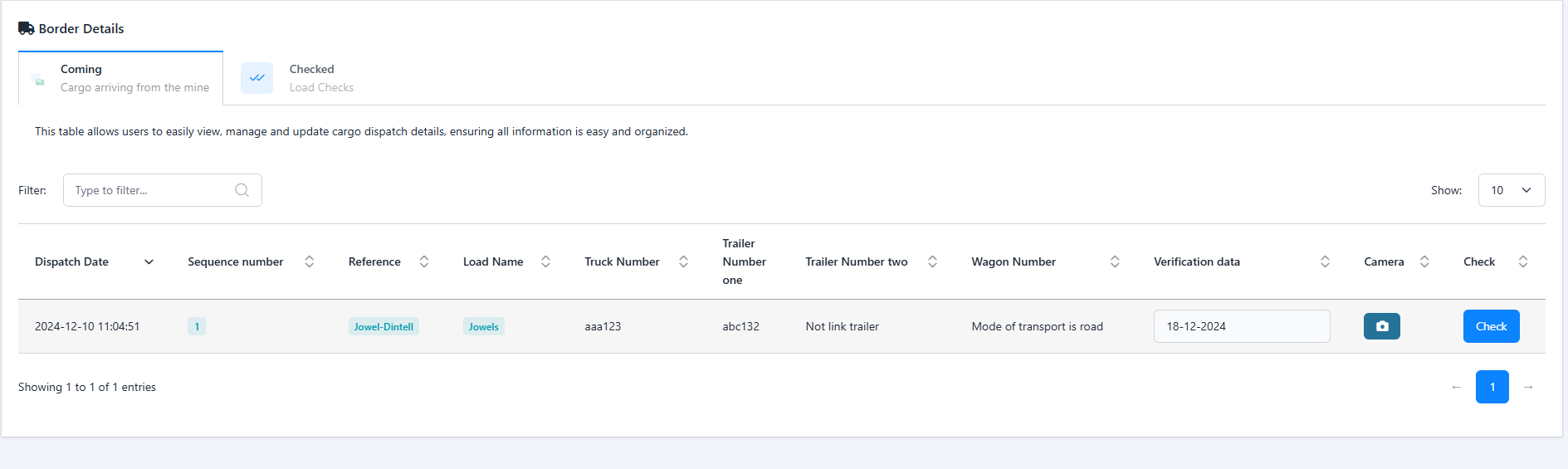
This tab displays loads that have been dispatched but are yet to be verified at the border. It provides functionalities for uploading or capturing a photograph and performing a check to confirm the load details.
- ↳ Dispatch Date: The date the load was dispatched.
- ↳ Sequence Number: A unique sequence identifier for the load.
- ↳ Reference: The load reference number.
- ↳ Load Name: The name of the load.
- ↳ Truck Number: The truck's registration number (if applicable).
- ↳ Trailer Number 1: The registration number of the first trailer (if applicable).
- ↳ Trailer Number 2: The registration number of the second trailer (optional).
- ↳ Wagon Number: If transported by rail, the wagon number is displayed.
-
↳
Camera: Provides options to document
the load visually.
- ↳ Desktop: Displays an upload button to add a photograph.
- ↳ Mobile: Opens the camera to capture a photograph directly.
- ↳ Check: A button to initiate the verification process.
Checked
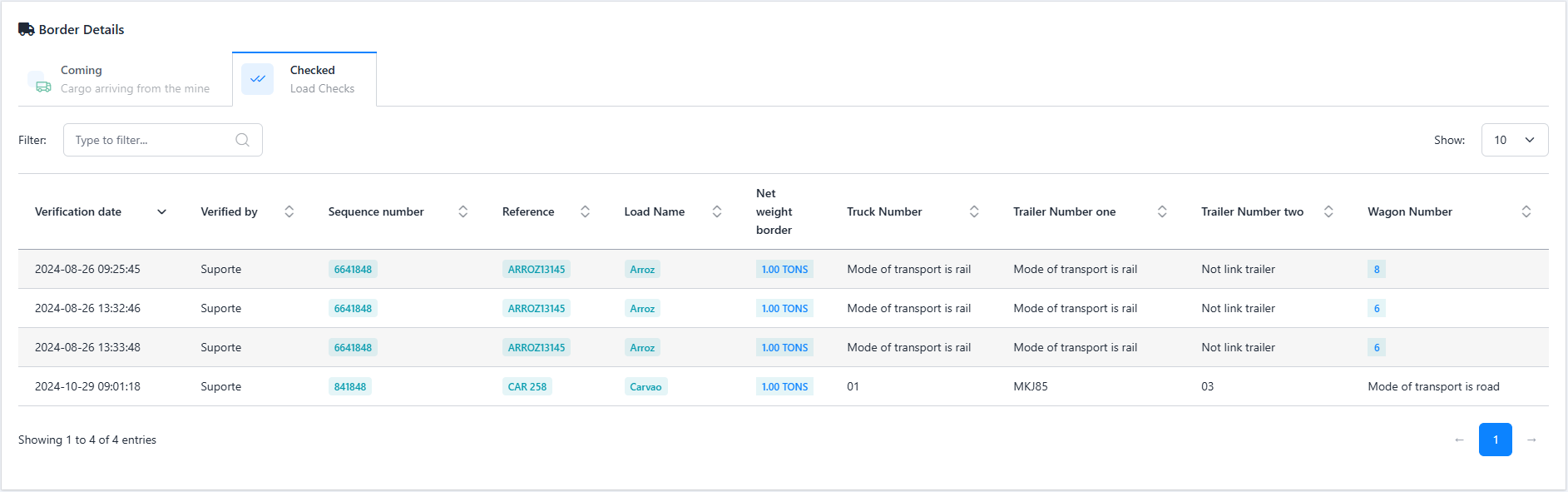
The Checked Tab displays loads that have been verified and processed at the border. It serves as a historical record and includes comprehensive details of each load. It displays the following details in a table:
- ↳ Verification Date: The date the load was verified.
- ↳ Verified By: The name of the user who performed the verification.
- ↳ Sequence Number: A unique sequence identifier for the load.
- ↳ Reference: The load reference number.
- ↳ Load Name: The name of the load.
- ↳ Net Weight Border: The confirmed net weight of the load at the border.
- ↳ Truck Number: The truck’s registration number (if applicable).
- ↳ Trailer Number 1: The registration number of the first trailer (if applicable).
- ↳ Trailer Number 2: The registration number of the second trailer (optional).
-
↳
Wagon Number: For rail transportation,
the wagon number is displayed.
- If no wagon is used, the transportation mode (e.g., "Road") is displayed instead.