
Shipment
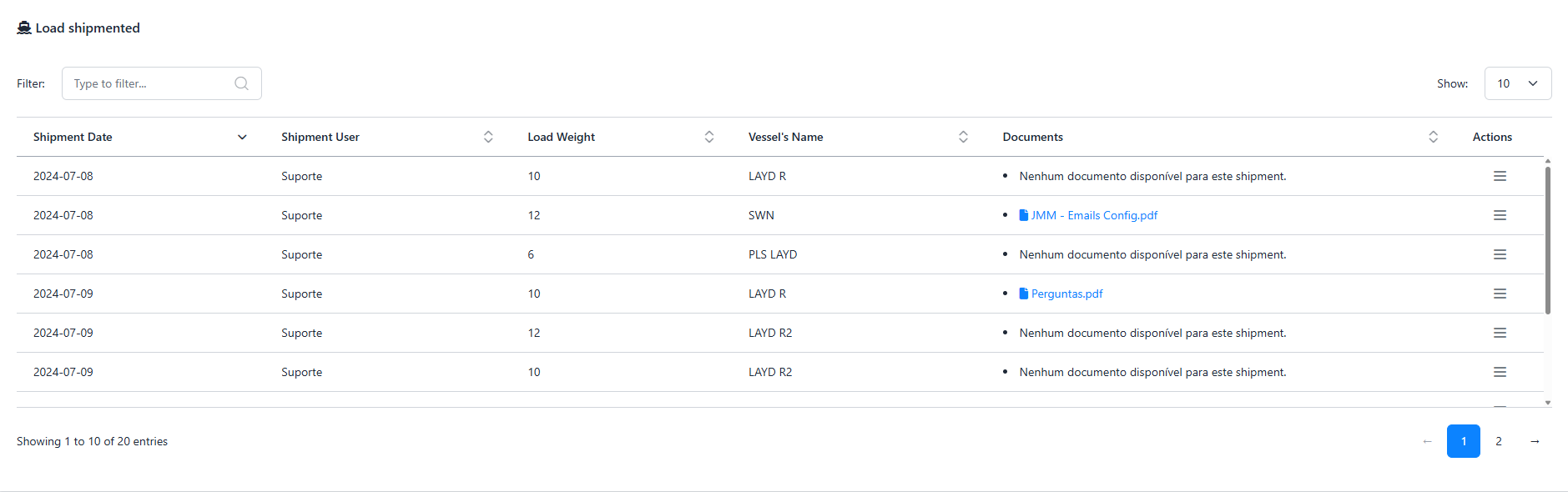
The Shipment page allows users to register shipments and track important shipment details. It displays a table of current shipments with key information such as shipment date, load weight, vessel name, and associated documents. The page also includes a button to Register Shipment, which opens a modal to input the necessary details for adding a new shipment.
Register Shipment
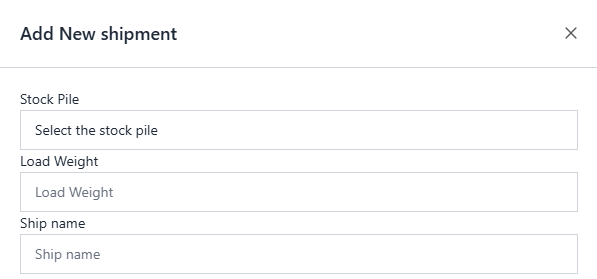
The Register Shipment button allows users to add a new shipment to the system. Upon clicking the button, a modal opens with the following fields for the user to fill in:
- Stock Pile: A select field that allows users to choose the stockpile from which the shipment will be made.
- Load Weight: A field where users input the weight of the load to be shipped.
- Ship Name: A field where users provide the name of the vessel on which the shipment will be transported.
- Documents: A field where users upload or specify the documents associated with the shipment (e.g., bill of lading, invoice).
- Boarding Date: A date picker field where users select the date the shipment is boarded onto the vessel.
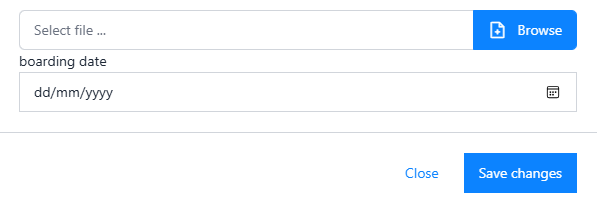
After filling out the form, the user can submit the modal to register the shipment in the system.
Table
The table on the Shipment provides a quick overview of all registered shipments, and users can easily track each shipment's details, including the user, weight, vessel, and documents related to the shipment.