
Offloading
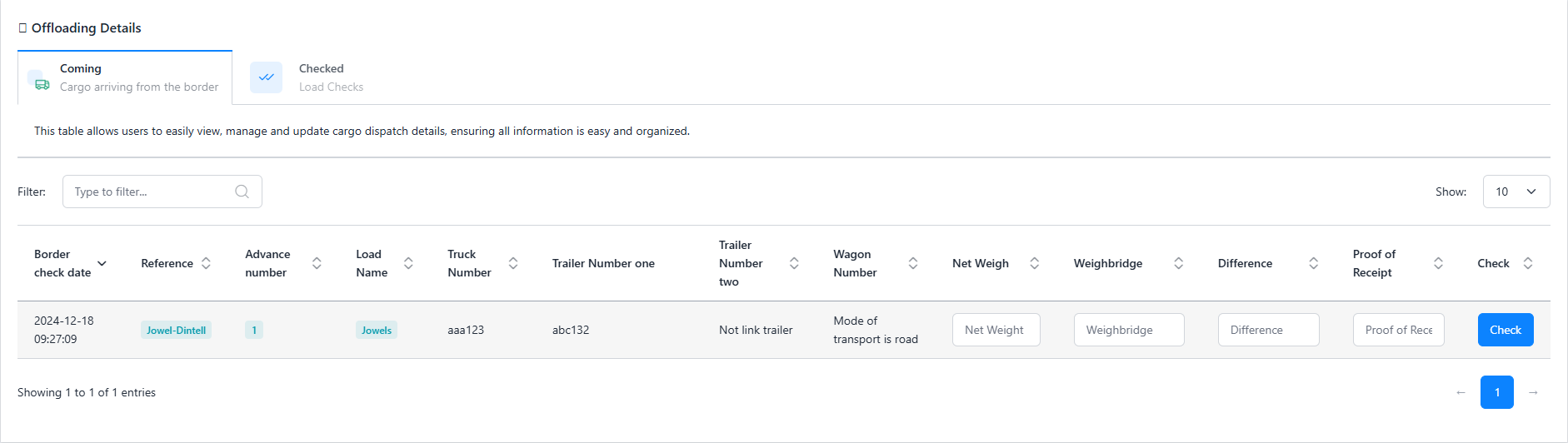
The Offloading Page is responsible for checking loads that have passed the border but still need to be verified during the offloading process. This page has two tabs: Coming and Checked.
Coming
The Coming Tab lists the loads that have passed the border but have not yet been verified during offloading. Users can input the Net Weight, Weightbridge, and Proof of Receipt for each load and verify the information through the check option.
- Check: This button is used to finalize the verification of the load and mark it as checked. It becomes active once all required fields are filled.
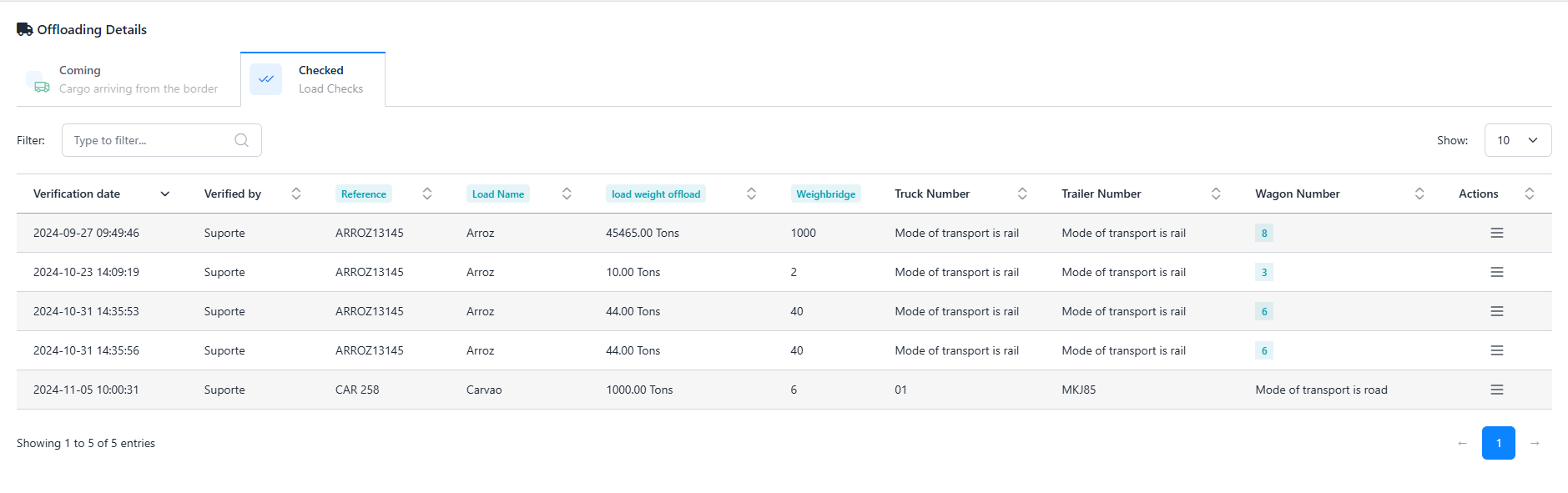
Checked
The Checked Tab displays the loads that have already been verified during offloading. It provides a detailed record of the verification process for each load. The table displays details of each load, including Verification Date, Verified By, Offload Weight, Weightbridge, Truck Number, Trailer Number, and Wagon Number.
- Edit: The Edit button allows you to modify the details of a load that has already been checked. When clicked, it opens a modal where the user can correct or update the information (Load Weight Offload and Weightbridge ).
- Delete: The Delete button is used to remove a checked load's verification record. When pressed, it permanently deletes the load's data from the verification list.