

Permissions
The Permissions page enables administrators to create, manage, and assign permissions to specific roles in the system. Roles define what actions users with those roles can perform, ensuring security and appropriate access control.
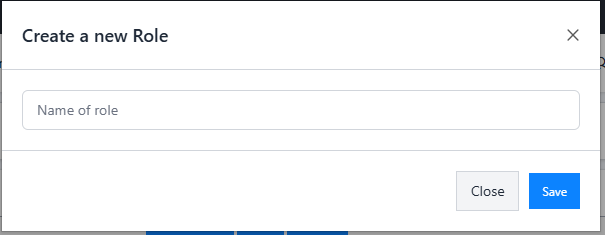
Create New Role
A button labeled "Create New Role" allows administrators to add new role to the system.
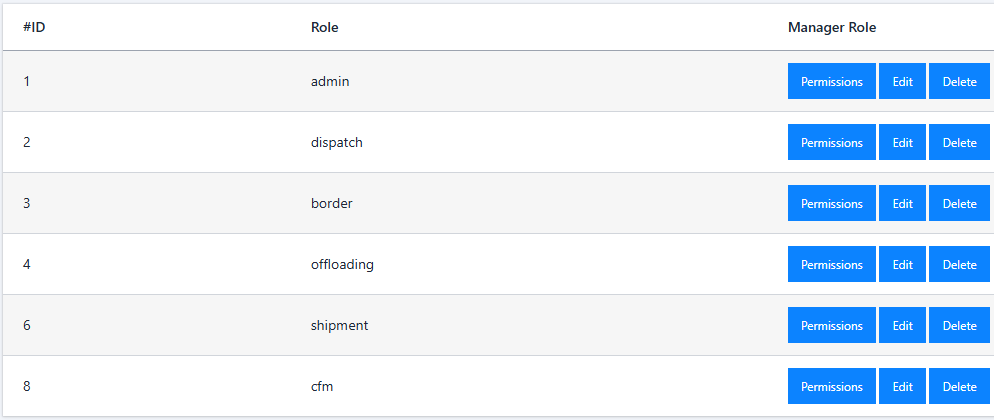
Role List
A table displays all existing roles in the system, along with actions to manage permissions and modify or delete roles.
Assign Permissions to Roles
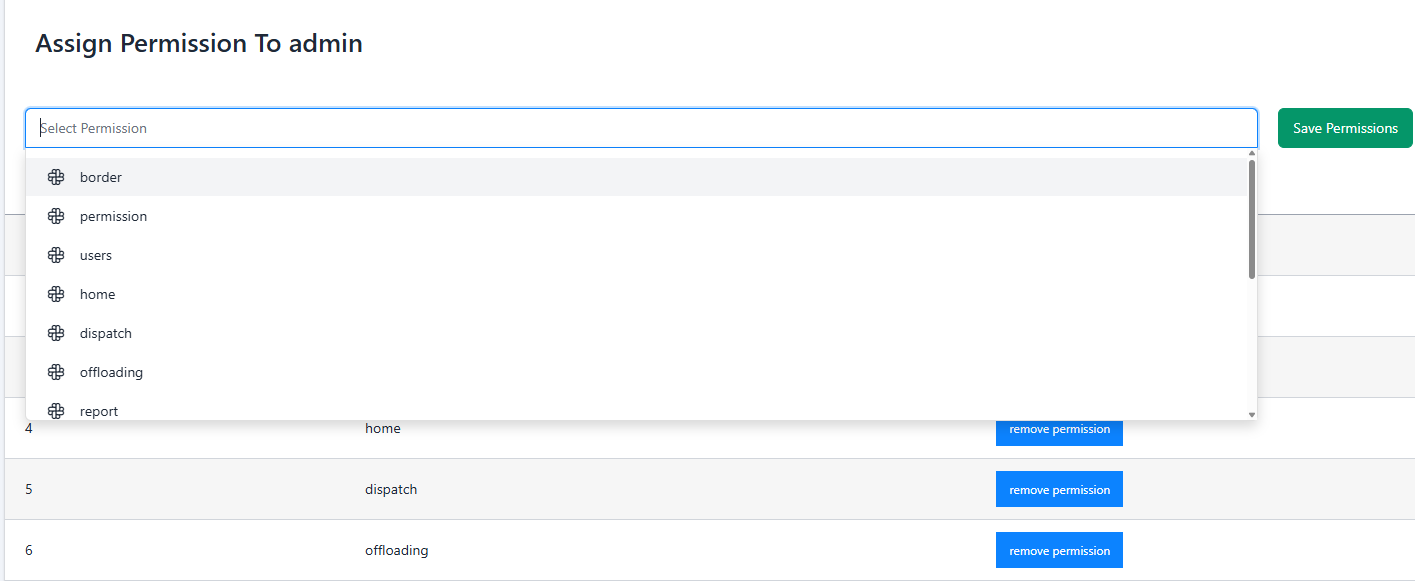
By clicking the "Permissions" button for a specific role on the previous table redirects to the permission assignment page.
Permission Assignment Page Features
-
Multiselect Dropdown: Lists all available
permissions, such as:
- Border: Permissions related to border management.
- Dispatch: Permissions related to dispatch operations.
- Offloading: Permissions for offloading activities.
- Report: Permissions for accessing and managing reports.
- Load: Permissions for managing loads.
- Wirehouse: Permissions related to warehouse operations.
- Others: Additional permissions as configured in the system.
- Administrators can select multiple permissions from the dropdown.
Notes
- ↳ Dependencies: Ensure that permissions are predefined in the system to populate the multiselect dropdown.
- ↳ Access Control: Only administrators with appropriate permissions can access or modify roles and permissions.
- ↳ Error Handling: If a role cannot be created, edited, or deleted due to validation errors or dependencies, an error message will appear.